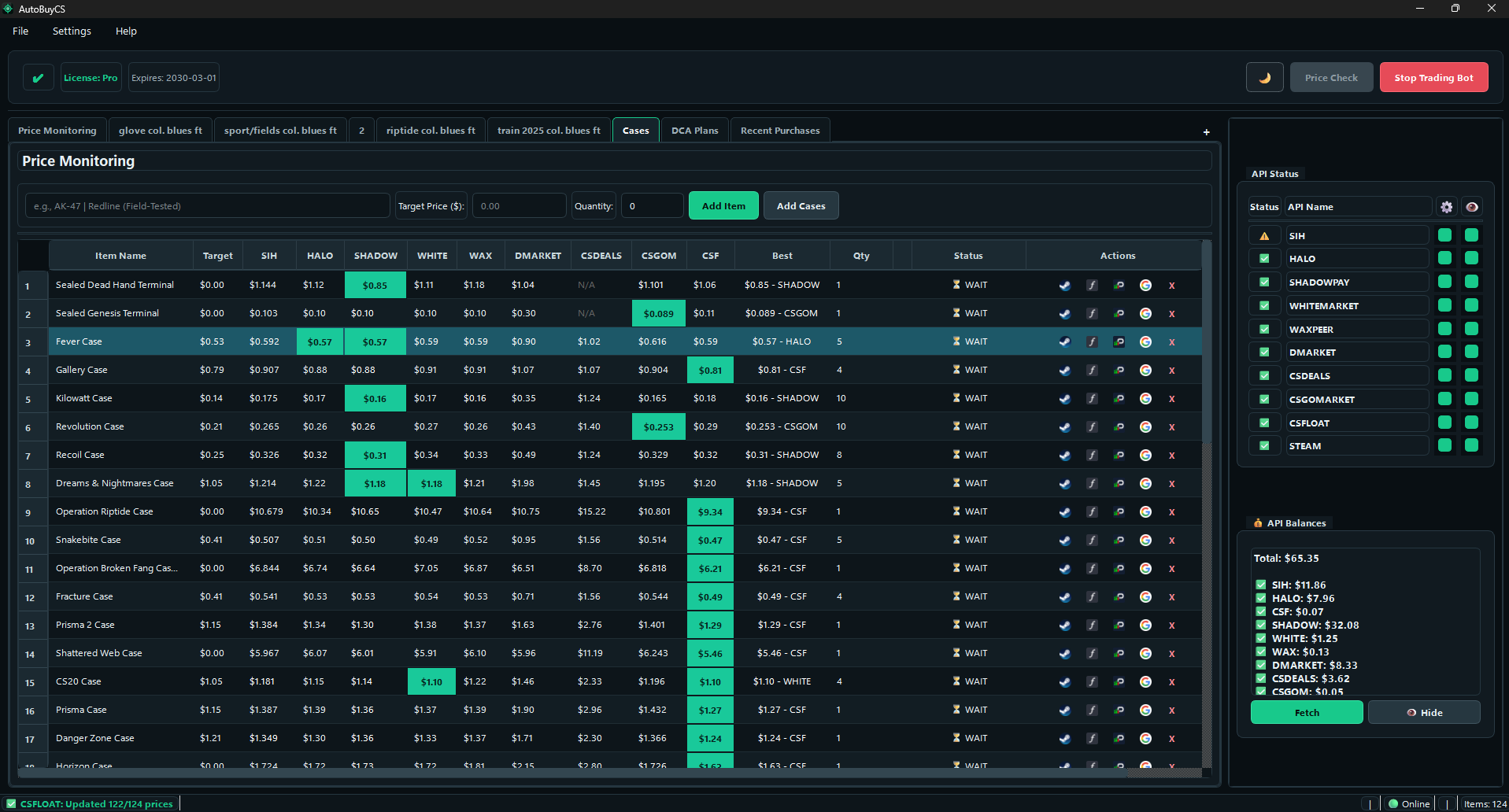
1. Price Monitoring Dashboard
Track the same item across multiple marketplaces, compare best price instantly, and keep your buy list organized in one table.
Buy-focused automation for CS2 items across 9+ marketplaces. Monitor prices in real time, apply float rules on supported markets, run scheduled DCA plans, and track every purchase in one dashboard.
AutoBuyCS is built for buying automation. Here is each core workflow in the app.
Track the same item across multiple marketplaces, compare best price instantly, and keep your buy list organized in one table.
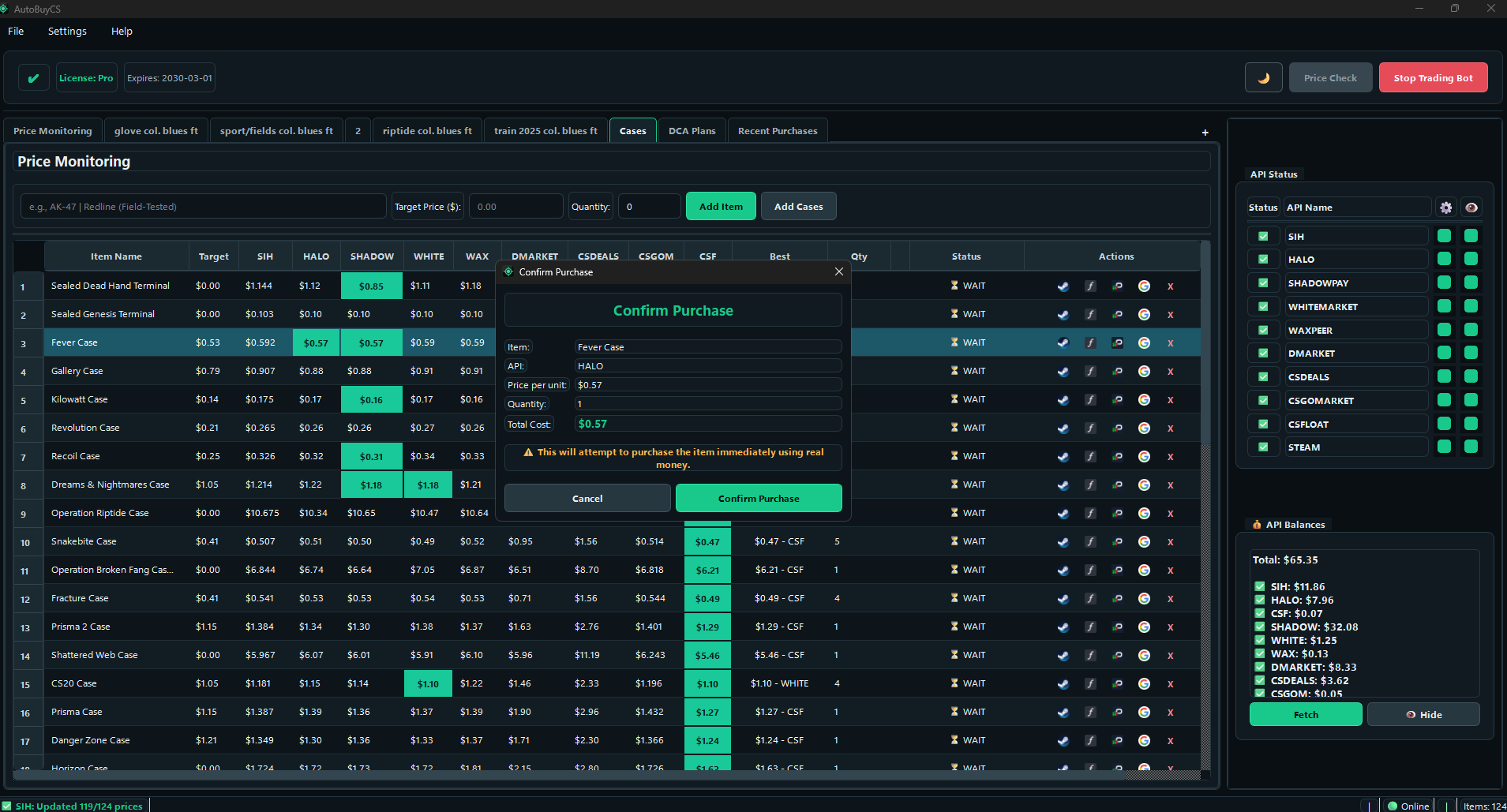
Before spending money, you see item, source API, unit price, quantity, and total cost in a dedicated confirmation window.
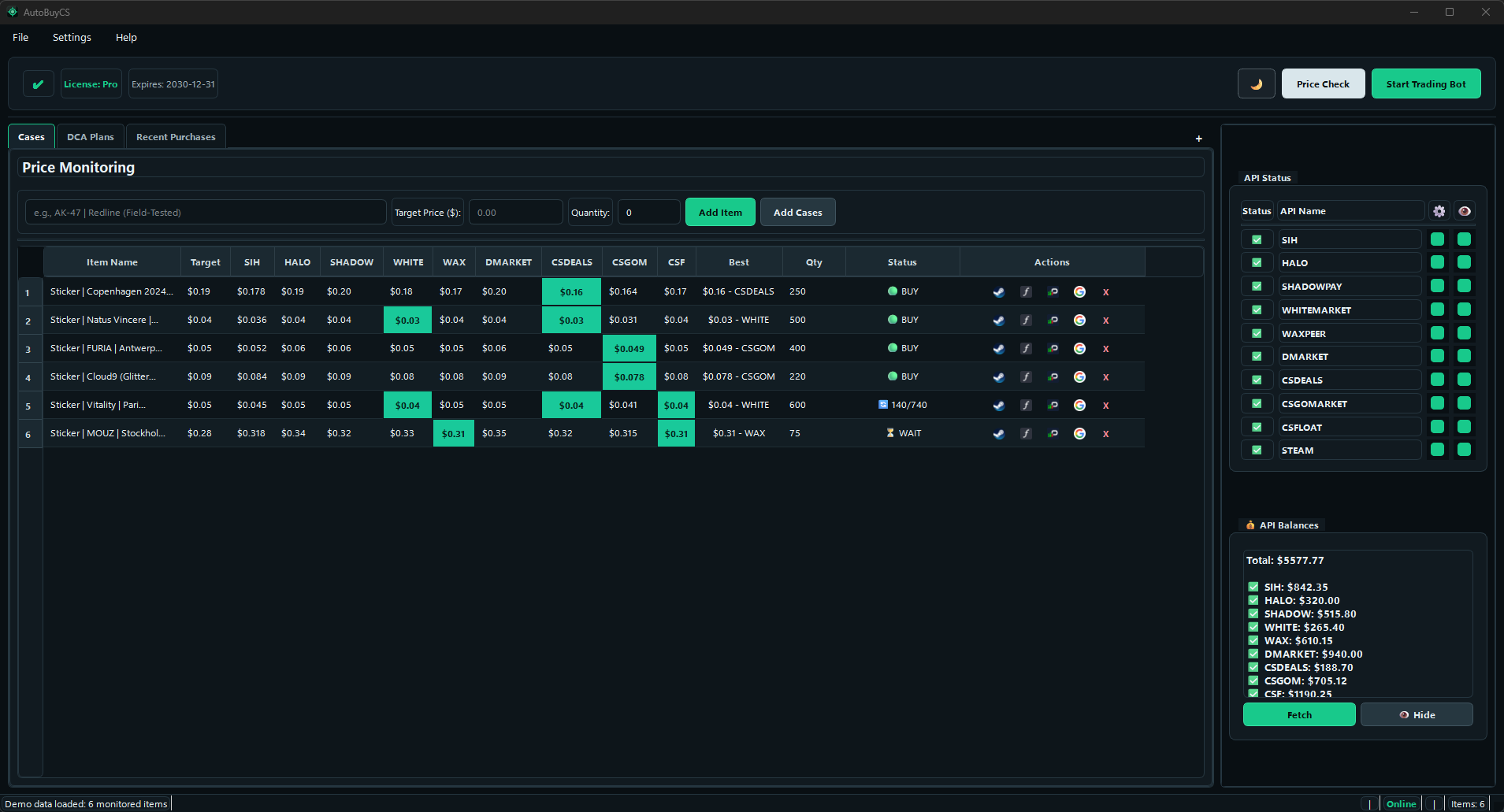
Run sticker-focused buying rules and react quickly to under-target prices using the same real-time monitoring and instant-buy controls.
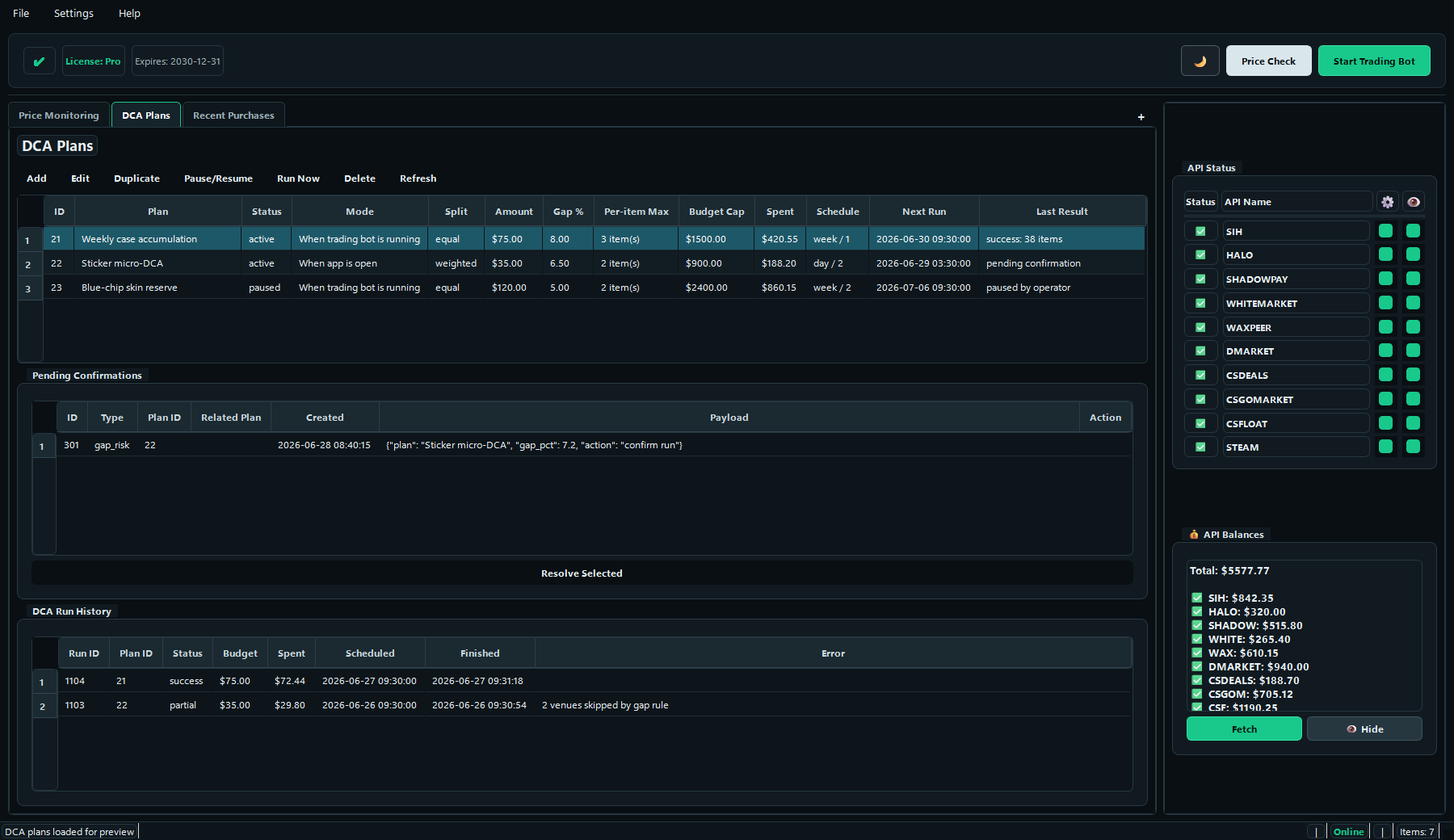
Create scheduled auto-buy plans (day/week/month), set budgets and API scope, and automate recurring buys with DCA logic.
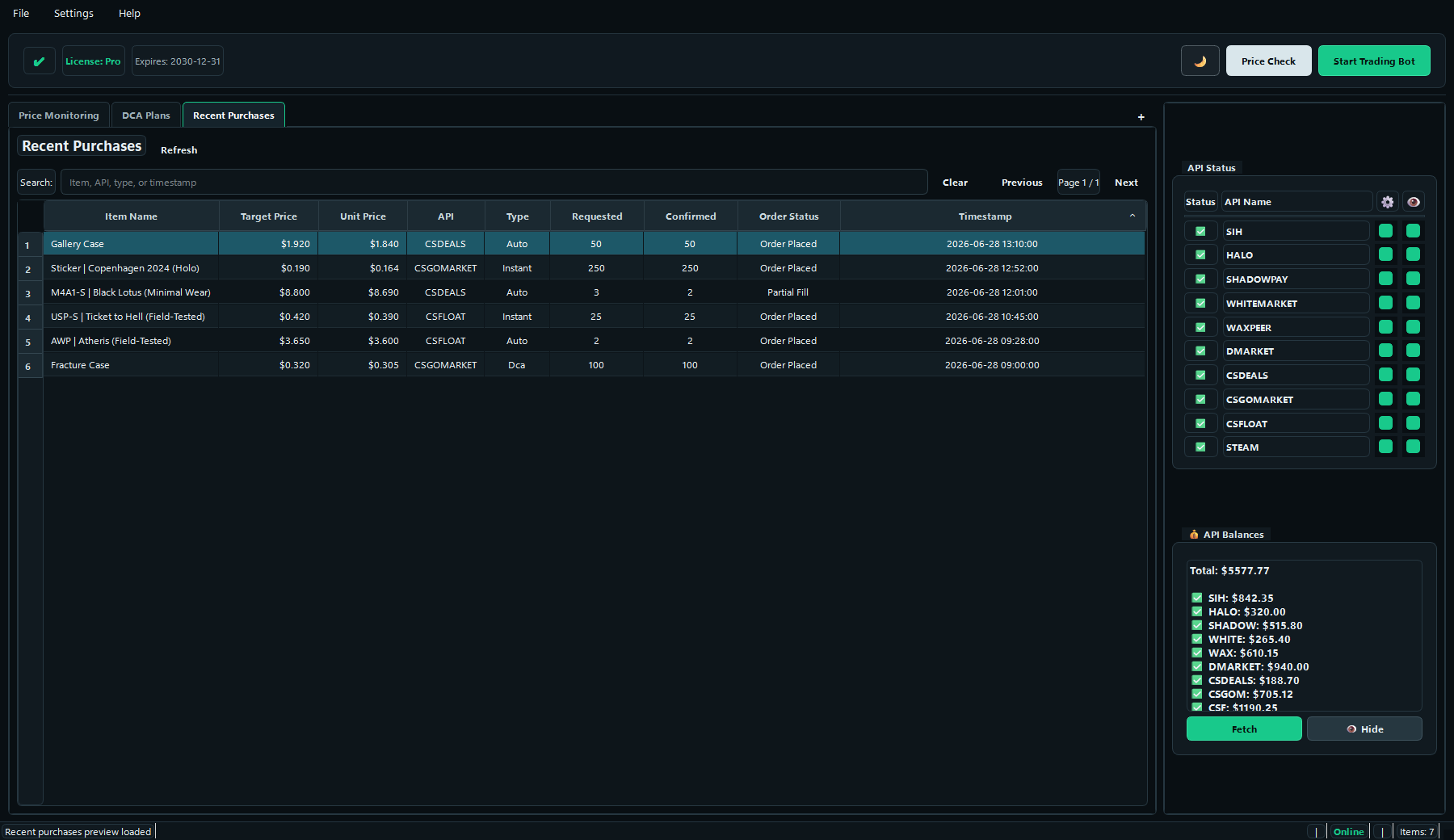
Review buy history with price, API, type, and timestamp so you can audit execution and keep your buying strategy under control.
Marketplace coverage / 01
Connect the markets you already use, compare eligible prices, and keep every buy rule in one desktop workspace.
Float-aware buying
Combine your maximum price with an exact Under, Over, or Exact float requirement. AutoBuyCS checks the listing float before placing a matching buy order.
Float rules are enforced during buying on these markets:
Other connected marketplaces can still provide price monitoring, but their buy orders do not enforce float requirements.
From price monitoring and controlled execution to read-only market research tools, everything stays in one buying workspace.
Attachment Scanner and Sticker Scanner are read-only: they analyze listings and estimates, but never buy, sell, list, or detach items.
Clear buying workflows, safer automation, and full visibility of what the app is doing
Get started in minutes
Enable the price sources you want to monitor. Add credentials when you want to buy or view balances.
Define items, maximum prices, quantities, and optional float requirements
Use manual Instant Buy, target-based AutoBuy, or scheduled DCA plans
Review purchase records, balances, and optional Windows purchase alerts
One simple plan for full AutoBuyCS access
Free buyer resources
Understand the rules, marketplace limits, and review steps before you automate a purchase.
Choose between manual review and repeatable target rules.
Build alerts around freshness, fees, liquidity, and hard caps.
See which checks can affect buying and which tools are read-only.
Review credentials, budgets, retries, logs, and pause controls.
Have questions? We're here to help